
The proliferation of AI has significantly changed the way we work. We organize our thoughts with ChatGPT, search for information in the browser, create documents, and communicate via Slack and email. Today's work is no longer about completing one task before moving on to the next; it has become commonplace to work concurrently with multiple pieces of information.
On the other hand, the workspace has not necessarily kept pace with this change. Despite the increase in jobs utilizing AI and the growing volume of information being handled, workspace design often remains an extension of traditional setups. As a result, switching windows multiple times during tasks and repeatedly searching for necessary information accumulates small stresses in our daily work.
In this article, we will explore how workspaces should evolve to align with the working style of the AI era, the advantages and limitations of traditional multi-monitor environments, and the concept of a "cockpit-style workspace."
Work in the AI era is already based on "simultaneous progress"
In traditional work, the flow of completing one task before moving on to the next was relatively clear. This is because processes such as reading materials, thinking, creating, and communicating were somewhat separated. However, the advent of generative AI has dramatically changed this flow.
Now, it is common to expand thoughts while querying AI, conduct browser searches along the way, organize found information into documents, and simultaneously communicate with internal and external parties. Especially in intellectual labor, comparing multiple information sources simultaneously has already become part of daily life.
In other words, the workspace in the AI era has moved beyond merely having a PC. What is needed is not an environment that processes multiple pieces of information by switching between them, but one that allows work to progress while simultaneously viewing multiple pieces of information. This marks a significant difference from traditional workspaces.
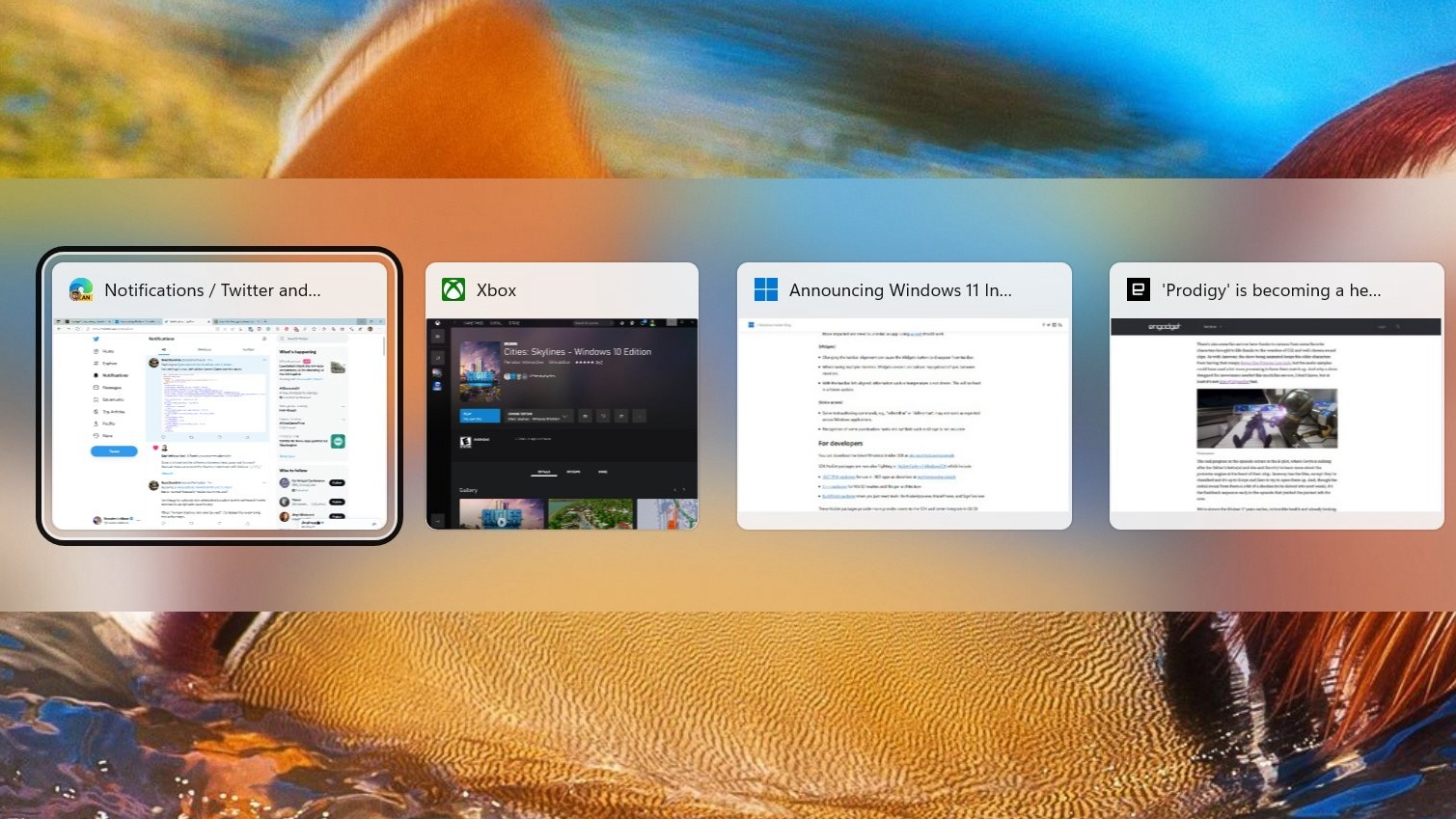

Why multi-monitor environments have been supported
Against this backdrop, many people have adopted multi-monitor environments. The reason is very simple: having more screens makes it easier to display necessary information simultaneously.
For example, one screen can be used to check AI outputs, while another displays reference materials, and a third is used to create documents. Alternatively, one can keep a spreadsheet open while checking chat tools or emails. Just being able to use these setups significantly reduces the number of window switches and smooths the workflow.
The reason multi-monitors have been valued is not merely because they provide a larger workspace. It is because basic work actions such as checking, comparing, inputting, and judging can be performed in a more natural flow. Therefore, adoption has progressed across various professions, including engineers, designers, data analysts, researchers, finance professionals, and business roles utilizing AI.
- Easier to display necessary information simultaneously
- Easier to reduce the number of window switches
- Natural flow for comparison, input, confirmation, and judgment
- Good compatibility with intellectual labor
However, traditional multi-monitors also have limitations
On the other hand, simply setting up a multi-monitor environment does not solve everything. Traditional multi-monitors come with several challenges in exchange for efficiency gains.
The first issue is the complexity of wiring and setup. As the number of monitors increases, so do the power supplies, video cables, and connection hubs, making the desk more complicated. This affects not only aesthetics but also everyday usability and the ease of rearranging the environment.
Next, there is the issue of space. To accommodate multiple large monitors, a desk of sufficient size is necessary. While this is an effective method for those who can secure enough space, not everyone in Japan's living or office environments can easily place large fixed multi-monitors.
Furthermore, traditional multi-monitors are fundamentally fixed environments. Once set up, it tends to be assumed that they will be used continuously in that location, making it difficult to recreate the same workspace at home, in the office, or while traveling. Additionally, depending on the configuration, the load on the PC may increase, affecting performance, heat generation, and noise levels.
In other words, while traditional multi-monitors do enhance efficiency, they leave challenges in terms of flexibility, portability, and installation freedom.
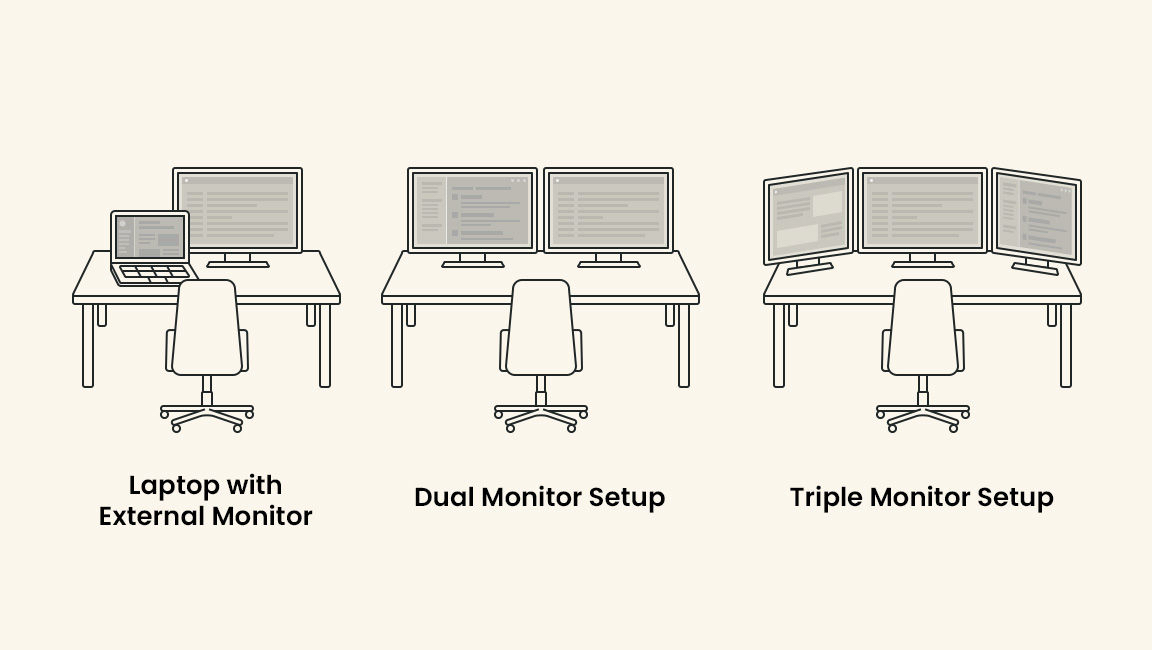
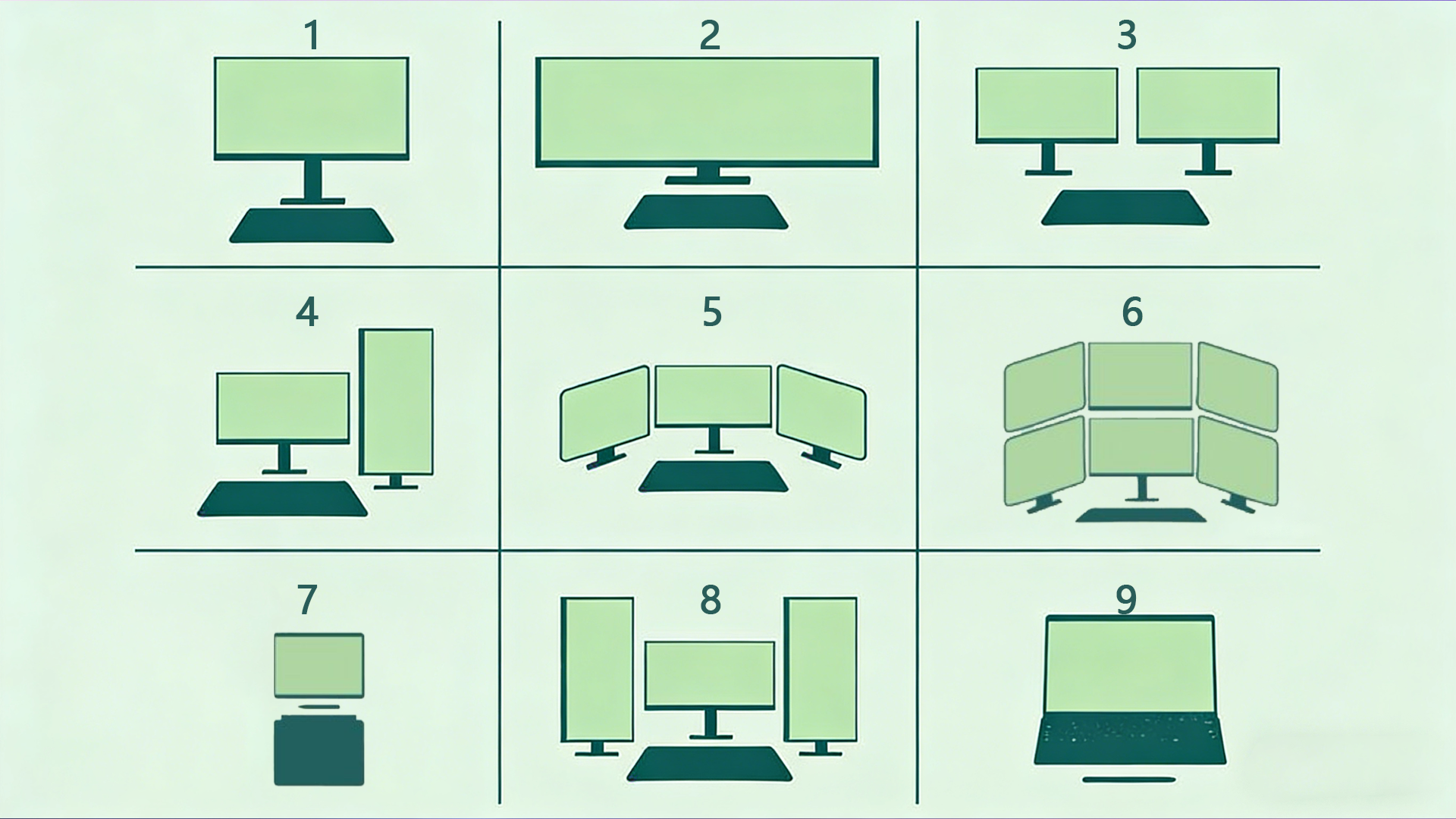
What will be needed going forward is not an "environment for switching" but an "environment for overviewing."
When considering workspaces in the AI era, the number of screens themselves is not what matters. What is truly being questioned is how to arrange necessary information and how to fit it into the field of view.
In today's work, dialogue with AI, research, document creation, data verification, and communication progress while switching back and forth. If you are constantly switching screens with Alt + Tab, you lose continuity of thought more than the time spent operating. Each time you switch screens, you need to re-establish the context in your mind.
What is needed in this situation is not a workspace that calls up information one after another, but one that allows you to view necessary information all at once. This concept is clearly represented by the idea of a "cockpit-style workspace."
What is a cockpit-style workspace?
A cockpit-style workspace is an environment design that organizes and arranges necessary information within view, making it difficult to interrupt the flow of work. The name comes from the cockpit of an aircraft. Pilots continue to make judgments while simultaneously checking multiple pieces of information such as altitude, speed, flight path, and aircraft status during flight. Because it is designed to allow the overall situation to be grasped with just a shift of gaze rather than switching between pieces of information, continuous judgment becomes possible.
This concept also applies well to modern intellectual labor. There are multiple pieces of information necessary for work, such as AI outputs, reference materials, ongoing documents, chats, schedules, and data. Moreover, these do not appear one by one in order; they always exist simultaneously. Therefore, in future workspaces, it will be more important to "overview" than to "switch."
A cockpit-style workspace is not merely about increasing the number of screens. It is a rethinking of the entire workspace, including which information to place where to make it easier to think, compare, and judge according to the nature of the work.
Three conditions required for workspaces in the AI era
Considering these changes, future workspaces will require at least three conditions.
The ability to view multiple pieces of information simultaneously
Work progresses across multiple pieces of information, such as dialogue with AI, browser research, document creation, and communication via chat. It is important to be able to confirm necessary information simultaneously rather than searching for it each time. This condition is becoming increasingly important not only for work efficiency but also for maintaining the flow of thought.
The ability to change configurations according to use
The optimal screen layout varies depending on the type of work. For example, the best layout for a research-focused day, a writing-focused day, a coding day, or a day focused on viewing spreadsheets is not the same. Future workspaces will need to be flexible enough to change configurations according to the nature of the work, rather than being fixed.
The ability to be less location-bound
With more opportunities to work not only in the office but also at home or while traveling, it is ideal for workspaces not to be too fixed in one location. While there are situations where large fixed monitors are suitable, considering the overall modern work style, the value of an environment with a certain degree of flexibility and reproducibility is increasing.
A new option gaining attention as the "next step after multi-monitors"
A new option that has emerged along these lines of thought is the cockpit-style monitor. This is somewhat different from the traditional idea of simply lining up multiple large displays. What is needed is not just a simple increase in area, but a design of the field of view that fits the flow of work.
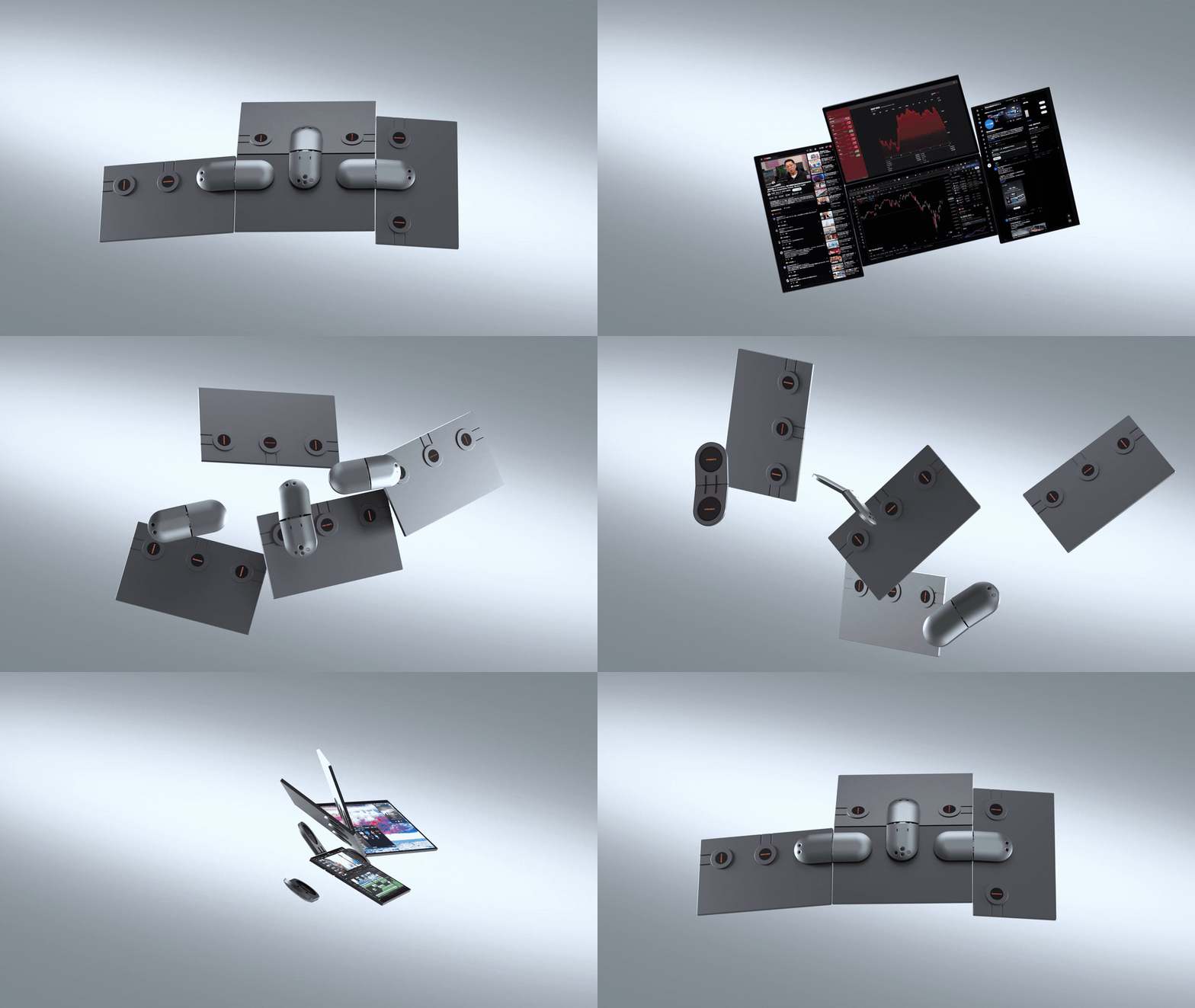
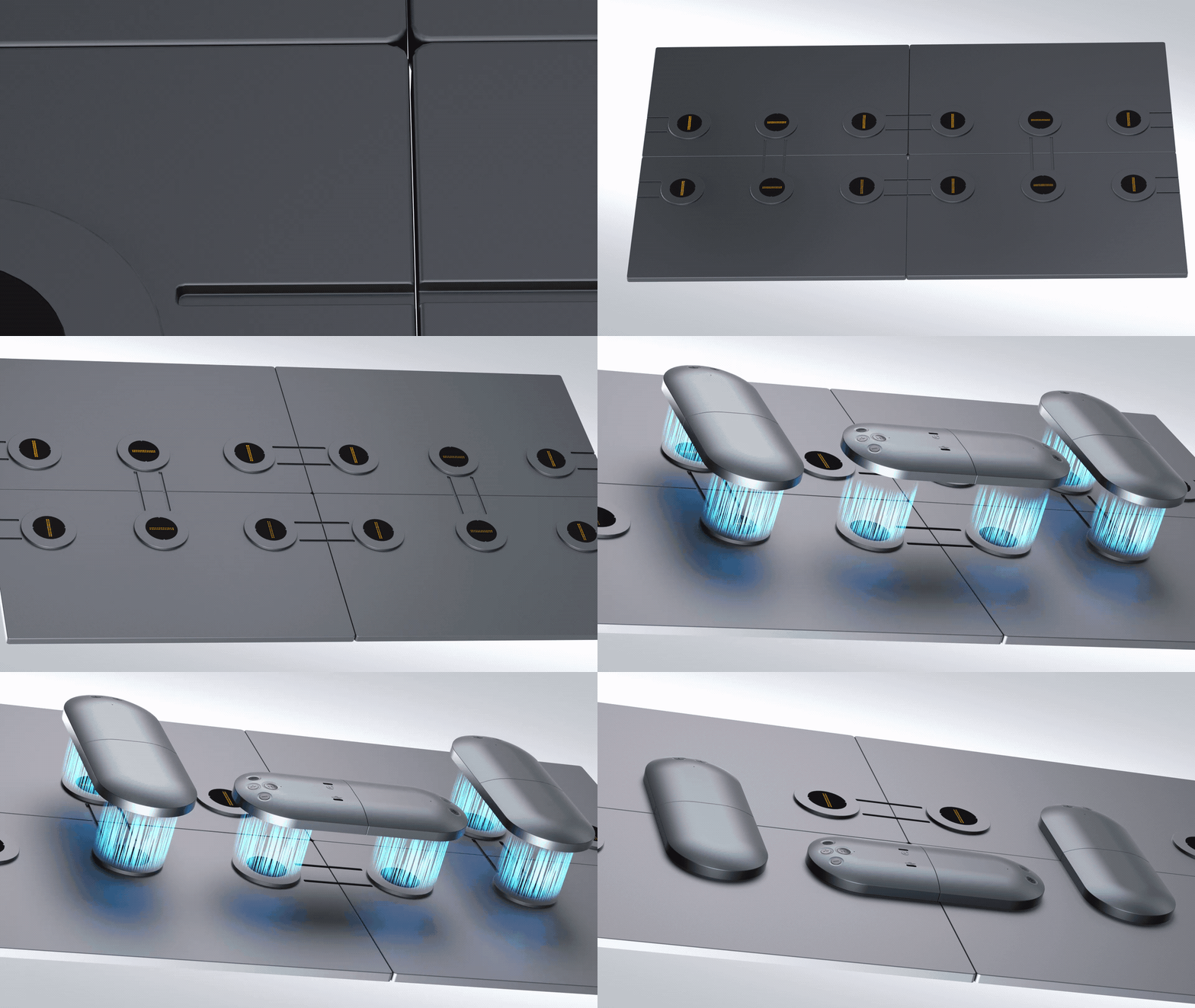
One example of this is the Wisee Cockpit Monitor. It is designed to configure multiple screens around a laptop and allows for flexible layout changes according to use, creating a workspace for viewing information that differs from traditional fixed multi-monitor environments.
Especially in tasks that involve handling AI outputs, materials, chats, and data simultaneously, the placement of "which information" and "in which position" has a significant impact on the work experience, beyond merely increasing the number of screens. In this sense, the cockpit-style monitor can be seen as a new form of workspace suited for future intellectual labor.
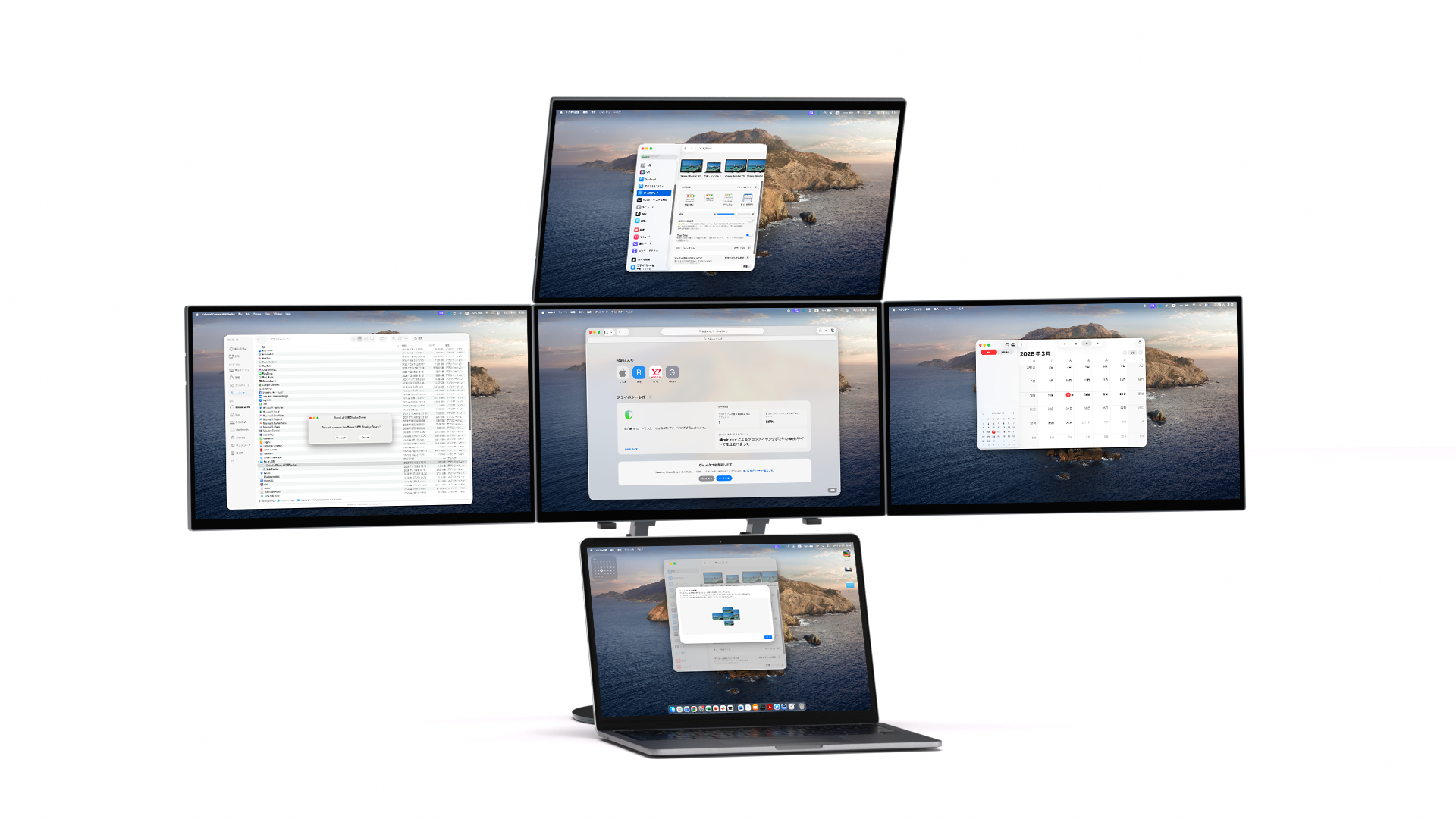
.gif?w=1024&h=576)
For those who want to concretely envision a new workspace suited for the AI era, please also check the product page of the Wisee Cockpit Monitor.
The value of vertical displays and auxiliary screens will further increase
Another aspect that cannot be overlooked when considering workspaces in the AI era is the difference in screen orientation and roles. While traditional multi-monitor environments often assume horizontal alignment, in actual work, there are increasing instances of handling vertically long information.
For example, AI outputs, code, documents, papers, chats, social media, and reservation information may be easier to view on vertical screens than on horizontal ones. Additionally, there is a growing need to keep auxiliary information displayed on another small screen or vertical screen while progressing with main tasks on a large primary screen.
This does not mean that "one large screen is enough"; rather, it signifies that combining screens with different roles according to the nature of the work is becoming increasingly important. Future workspaces will likely move towards a direction where the overall design of the field of view is emphasized, rather than merely competing in size.
- Use vertical displays for vertical information
- Differentiate roles between primary and auxiliary screens
- Change screen configurations according to the type of work
- Focus on the overall design of the field of view rather than size
The quality of the workspace directly impacts the quality of work
With the evolution of AI, we are now able to handle more information faster than before. However, as the volume of information increases, the impact of workspace quality on outcomes also grows.
In an environment where necessary information is immediately visible, decision-making becomes faster, and organizing thoughts becomes easier. When comparisons are easier, oversights decrease, and ideas flow more readily. Conversely, in an environment where necessary information is hidden and frequent switching or searching occurs, concentration is disrupted, affecting the quality of work.
In this sense, the number of screens is not just a specification. It relates to how much information can be handled simultaneously and how naturally it can be arranged in the field of view, impacting the very range of thought. When considering workspaces in the AI era, the workspace should no longer be viewed as peripheral equipment but as a foundation supporting intellectual production.
Future workspaces will align more closely with the "flow of work"
In the future, AI will further integrate into our work. Along with this, the amount of information we handle simultaneously and the way we work will change even more.
What will be required in this context is not just high-performance PCs or large screens, but workspaces that fit the new flow of work, such as dialogue with AI, information organization, and parallel processing of multiple tasks. The concept of a cockpit-style workspace can be seen as something that has naturally emerged from this flow.
Going forward, the focus will be on creating environments that are more flexible, less disruptive to thought, and more aligned with the flow of work, rather than merely extending traditional multi-monitors. In this context, the idea of "overseeing information" rather than "switching information" will become increasingly important.
Conclusion
In the AI era, there is a definite increase in situations where one screen alone is insufficient. What matters is not merely increasing the number of screens, but creating an environment that allows necessary information to be arranged within view and work to progress without interruption of thought.
Traditional multi-monitor environments were one effective means to achieve this. However, there are limitations in terms of wiring, space, portability, and flexibility. The new concept gaining attention beyond that is the "cockpit-style workspace."
Rather than switching information, it is about overseeing it. This idea will serve as an important hint when considering workspaces for future intellectual labor.
Related Links
From "switching workspaces" to "overviewing workspaces." You can find more details about the cockpit-style workspace, such as the Wisee Cockpit Monitor, here.