
The starting point for developing the Wisee Cockpit Monitor was not "How can we create more screens?"
Increasing the number of screens does not necessarily make work easier. If the necessary information is hard to see or if the flow of vision is unnatural, then it is simply an environment where the display area has expanded. What we really wanted to address was the question of how to create a view that makes it difficult to interrupt the flow of work.
A workspace that aligns with the flow of thought and makes it easier to organize work within your field of vision. The Wisee Cockpit Monitor was born from this idea.
The starting point for development was not the "number of screens."
When we started thinking about the development of the Wisee Cockpit Monitor, there was a sense of discomfort among us.
It means that while many workspaces are well-equipped as "equipment for display," they are still not sufficiently designed as "spaces for thinking."
In work, it is important not only to consider the information displayed itself but also where it is placed, how it looks, and how it can be compared. Even with the same three screens, simply placing them side by side does not necessarily make them user-friendly. If the necessary information is too far away, if the eye movement is unnatural, or if it cannot be placed where desired, having more screens will not lead to comfort.
Therefore, we thought about what kind of layout would make it easier to maintain the workflow before deciding on "how many screens" from the very beginning. The number of screens is determined as a result of that. The starting point was always "what is an easy-to-think layout."
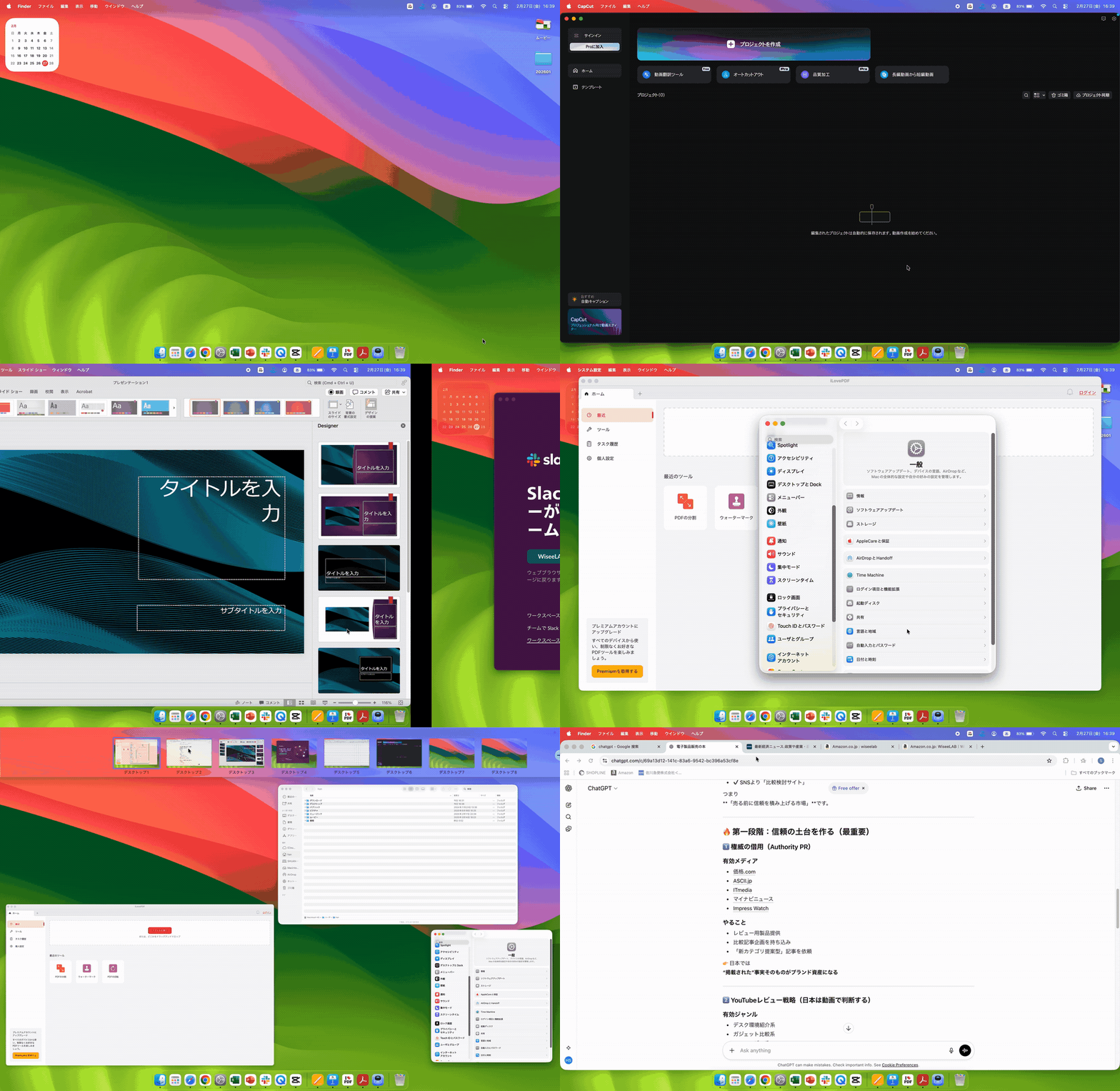

What we aimed for was designing a visual field for thinking.
Generally, monitors are perceived as devices for displaying screens. Of course, that in itself is not incorrect. However, we wanted to take a step further.
What's truly needed isn't simply a larger display area, but the ability to configure your field of view to match your workflow.
For example, interactions with AI, materials and data, documents and spreadsheets, auxiliary tasks and notifications. When such arrangements can be made naturally, the basic operations of work such as comparison, judgment, input, and confirmation become smoother.
What we wanted to design was not an environment that displays a lot, but an environment where necessary information can be placed according to the workflow.
Things I prioritized
- Being able to see all the necessary information at the same time.
- The ability to change assignments depending on the type of work.
- The ability to separate the roles of the viewing screen from the operation screen.
- Avoid making eye movements too unnatural.
- It should be something that can be used consistently and without difficulty in daily work.
.gif?w=1024&h=576)
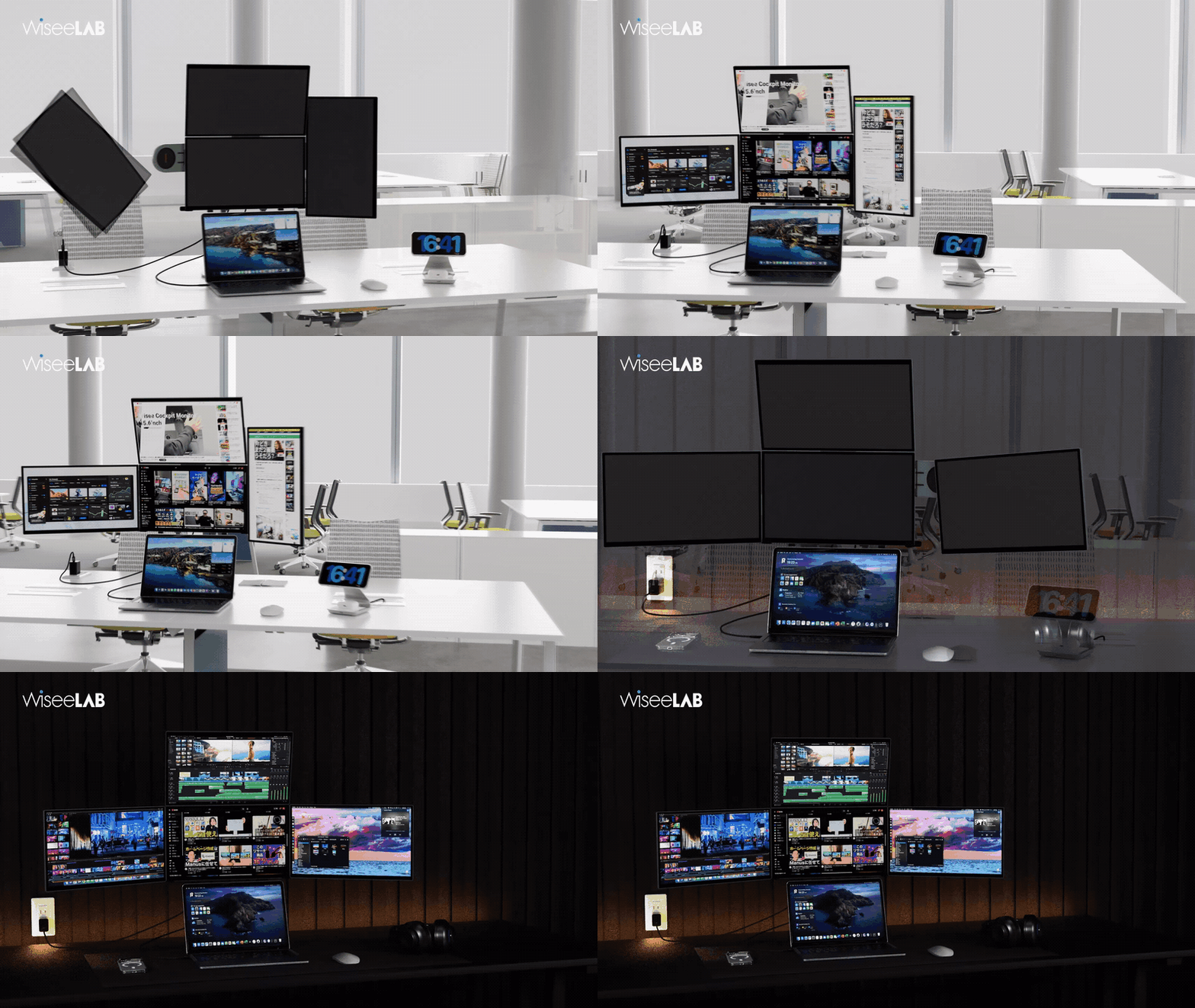
Why did you arrive at the idea of a "cockpit"?
We use the term "cockpit" not simply because it looks like it has multiple screens.
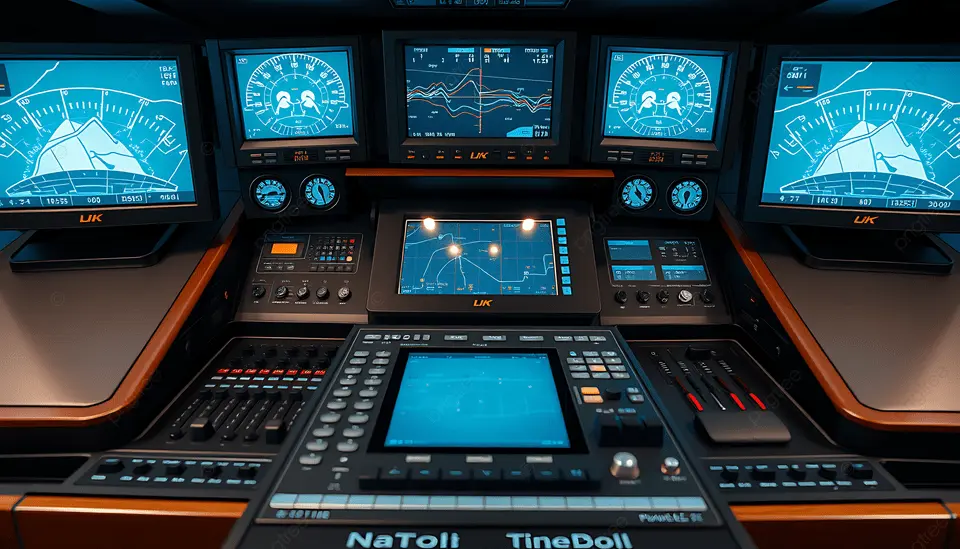
The term "cockpit" conveys the meaning of a space where necessary information is organized in a way that makes it easy to make judgments.
In the cockpit of an airplane, important information is gathered in one place and designed to be understood within the flow of sight. This is not for aesthetics, but to maintain the continuity of judgment. Modern work is somewhat similar. Thinking, researching, writing, and communicating. Moreover, these processes do not occur in sequence but overlap. Therefore, what is needed is not simply a multi-screen setup, but rather the arrangement of multiple pieces of information in a way that holds meaning within the field of vision.
The Wisee Cockpit Monitor is born from the idea of "assembling work within your field of vision."
- Reduce the number of times you switch between information.
- Being able to put what you need in the place you need it.
- The ease with which comparisons and judgments can be made within the flow of the process.
- The ability to rearrange the environment to suit the way work is done.
If you would like to see the concept of "building work within the field of vision" as an actual product, please check out the details of the Wisee Cockpit Monitor.
Reasons why a secondary screen is necessary even with a large primary screen.
We do not consider this product as something that will replace all existing monitors. In fact, there are many situations where people who already have a large main screen of 27 inches or 32 inches still need an additional display.
A large screen is very suitable for overview checks and main tasks. On the other hand, information that you want to keep displayed at all times, such as chat, email, AI outputs, document references, code, social media, and management screens, can be easier to work with when separated into a different position rather than mixed within the main screen. In particular, I feel that using the main screen to focus on central tasks while keeping reference information visible on a secondary screen works well for many high-density information jobs.
Therefore, Wisee is not about choosing between "a large screen or multiple screens," but rather about how to add supplementary visibility to the existing workspace. This is seen as an option to share roles according to the workflow, rather than being in opposition to traditional large monitors.
Why did we choose a modular structure?
When considering the structure, we didn't initially proceed in the direction of "creating a large, all-in-one monitor."
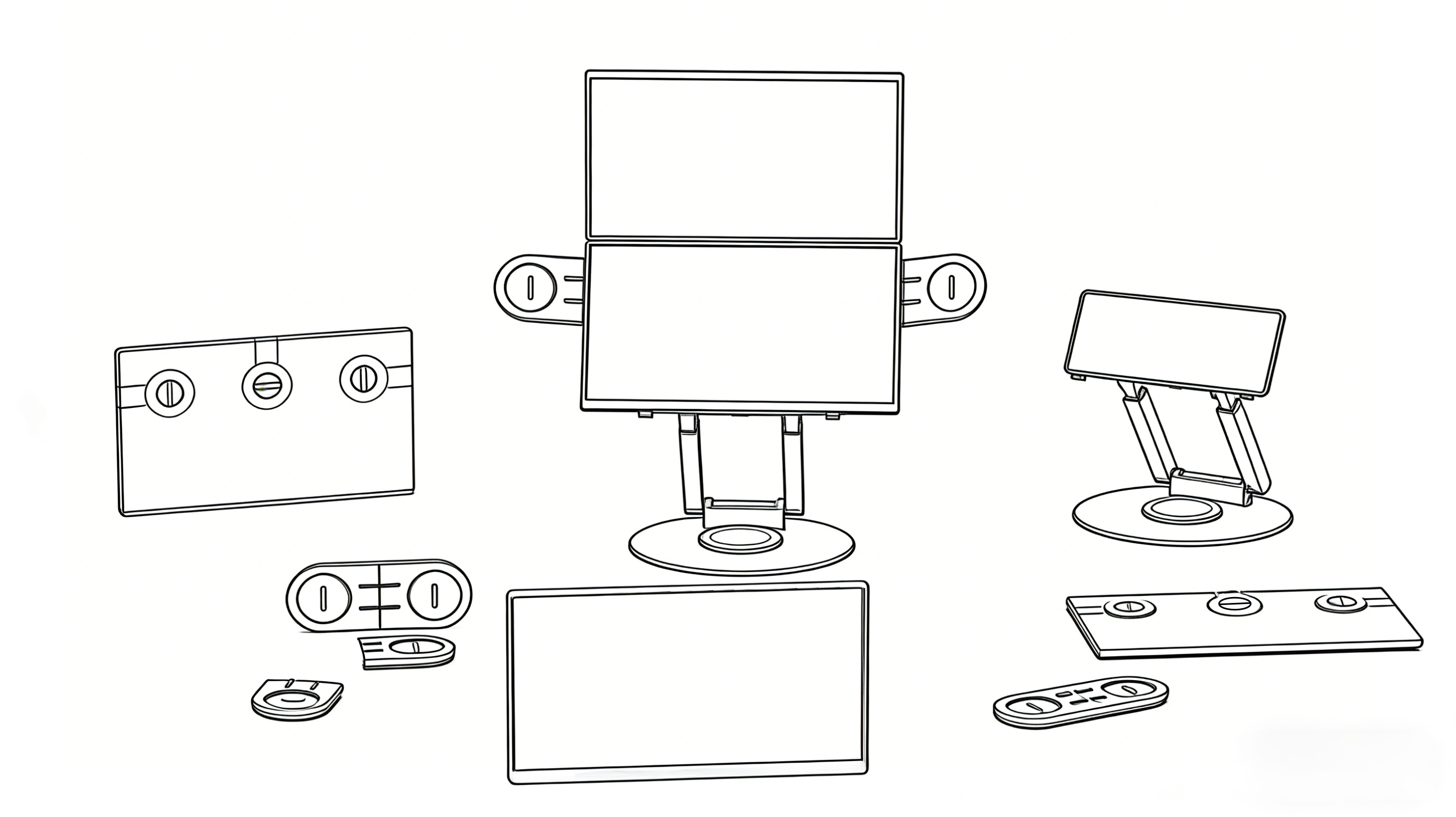
The reasons are clear. In actual work, the environment is not always ideal. There may not be sufficient installation space. It is not guaranteed that it will be used in exactly the same place every day. There may be times when you want to change the configuration. And in case of emergencies, it needs to be a structure that is easy to handle and respond to.
What we adopted is a unit structure. By using a unit structure, it becomes easier to combine in the necessary configuration, which also contributes to ease of storage and portability. Furthermore, in the event of a malfunction in a part, it becomes easier to review and address issues on a unit basis rather than handling the entire system.
This isn't just a mechanical feature; it's a structure that was designed with both flexibility in use and ease of operation in mind.
- To avoid making the configuration too rigid
- To make it easier to combine as needed
- To make them manageable separately
- To improve portability and ease of storage
- To make it easier to handle in some cases
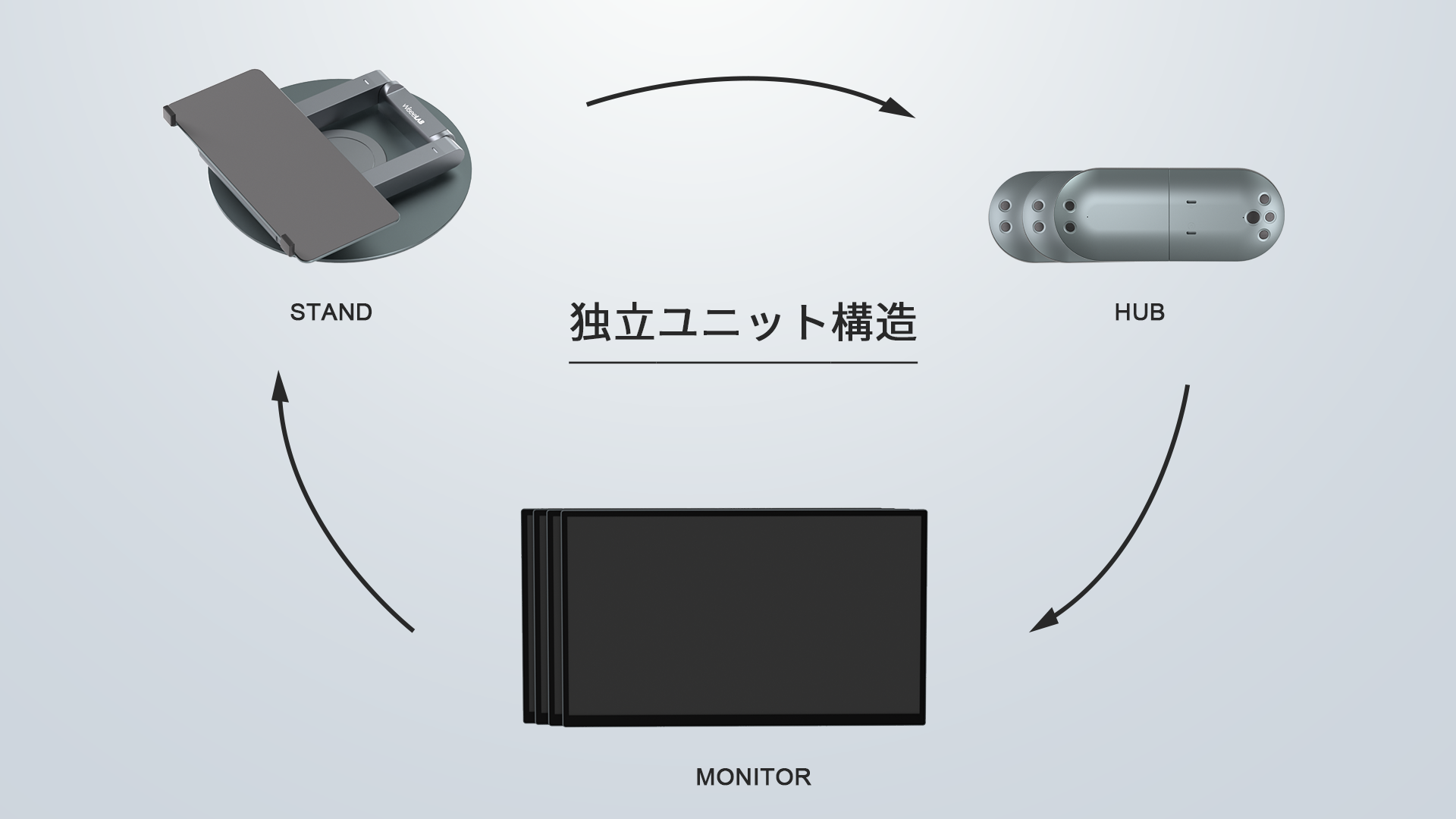
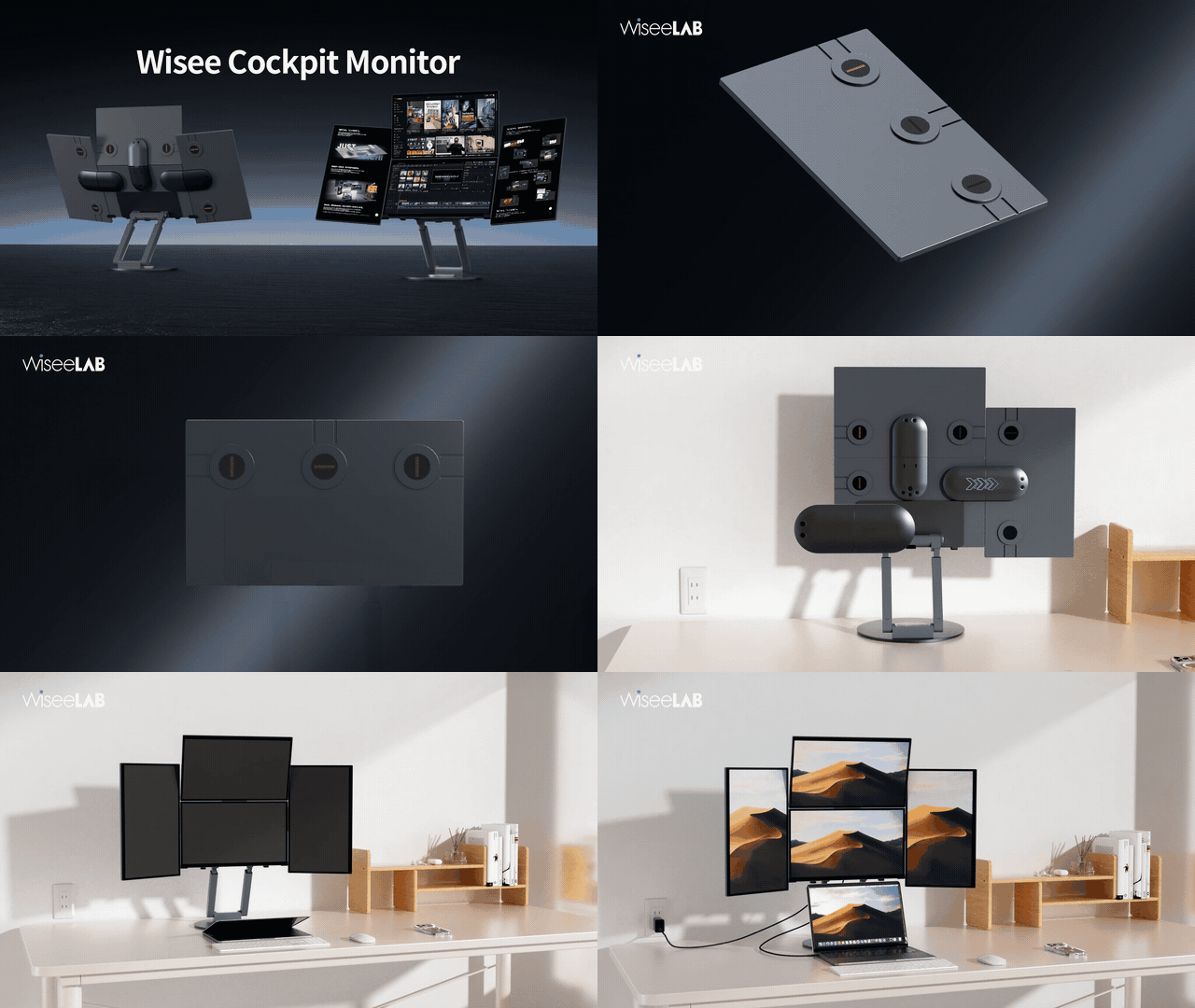
To avoid restricting usage, we prioritized flexibility in both vertical and horizontal orientations.
Another important aspect of the development process was avoiding overly rigid screen orientation and layout.
Not all information handled in work is necessarily wide. Text, code, AI outputs, papers, chats, social media, various management screens. Much of this information can also be long in the vertical direction, and a horizontal screen is not always the most readable option.
Therefore, we focused on how we can position it in different orientations and roles: a main work screen, a vertical screen for reference, and a small screen that constantly displays supplementary information. By being able to assign these roles, the overall view becomes more suited to the work at hand.
The freedom of movement is not for the sake of visual change. It is to allow the design of the field of view to be adjusted according to the type of work.
I believe the screen orientation should also be selectable to suit the work.
I want to make it easier to handle not only horizontal information but also vertical information. Depending on the task, I want to be able to change the role of the screen. Instead of a uniform arrangement, I want to make it easier to create optimal solutions for each user. From this perspective, I emphasized the freedom of both vertical and horizontal layouts.
Designed to suit Japanese workspaces.
In considering the design of this product, we have been strongly aware of the working environment in Japan. In Japan, not everyone can secure a spacious desk area, and it is often unrealistic to line up multiple large monitors. Additionally, a multi-screen setup based on a high-performance desktop environment tends to have a higher barrier to entry.
What we prioritized was the ability to organize and handle more information even within a limited space. Rather than simply making things larger, the perspective of how to expand the work visibility within a constrained environment has become a significant factor in determining the shape of the Wisee Cockpit Monitor.
This does not mean that we are reducing the specifications to fit the Japanese market. Rather, we believe that as a result of considering what is truly user-friendly even in limited environments, we have moved closer to a more realistic multi-screen environment.
From a technical standpoint, we chose methods other than simply "increasing" the numbers.
When considering a multi-monitor environment, not only the appearance and structure but also the technical design is extremely important.
Generally, as the number of screens increases, the concerns about the load on the PC side and the complexity of the configuration tend to increase. Especially for those who want to utilize the PC's processing resources for their work, a display environment that becomes too burdensome is not desirable.
We aimed to establish a multi-screen environment in a way that is more accessible to a larger number of people. Therefore, the Wisee Cockpit Monitor realizes a multi-display environment not only by relying on the traditional concept of external video output but also through its unique configuration.
What we emphasized here is that it should not be something that only a select few can use, but rather easy to use in a more realistic work environment. Instead of showcasing the technology in a flashy way, we focus on stability and ease of use as a tool that is used every day. This judgment is also one of the development philosophies of the Wisee Cockpit Monitor.
Designing the unseen parts: Why we spent so much time on the moving parts of the hub
One of the most memorable aspects of the development process was the adjustments made to the hub's "bending motion."
At first glance, it may seem like a small part. However, in reality, the quality of this movable part greatly affects the sense of security and unity when in use. If it is a little loose, it feels unstable. If it is a bit too tight, it becomes difficult to handle. If the angle is ambiguous, it is hard to stop at the intended position. Even a slight misalignment or step after connection can impact the overall usability.
Therefore, we spent time adjusting this movable part. It should be stable when opened. It should not feel unreliable when supporting the screen. The angle should easily settle at the intended position. There should be minimal unnatural shifts after connection. To meet these conditions simultaneously, we repeatedly prototyped and reviewed, making fine adjustments along the way.
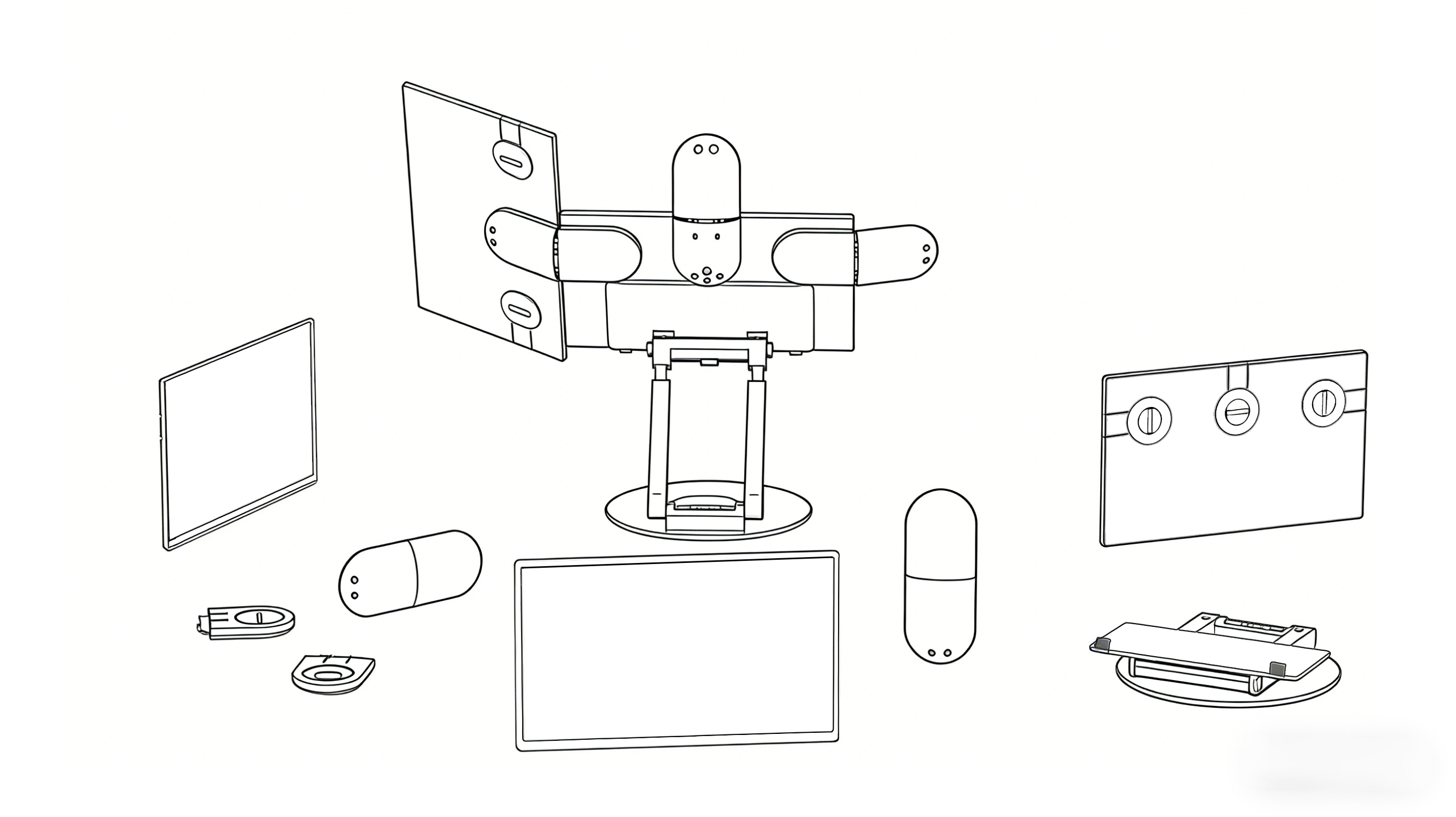
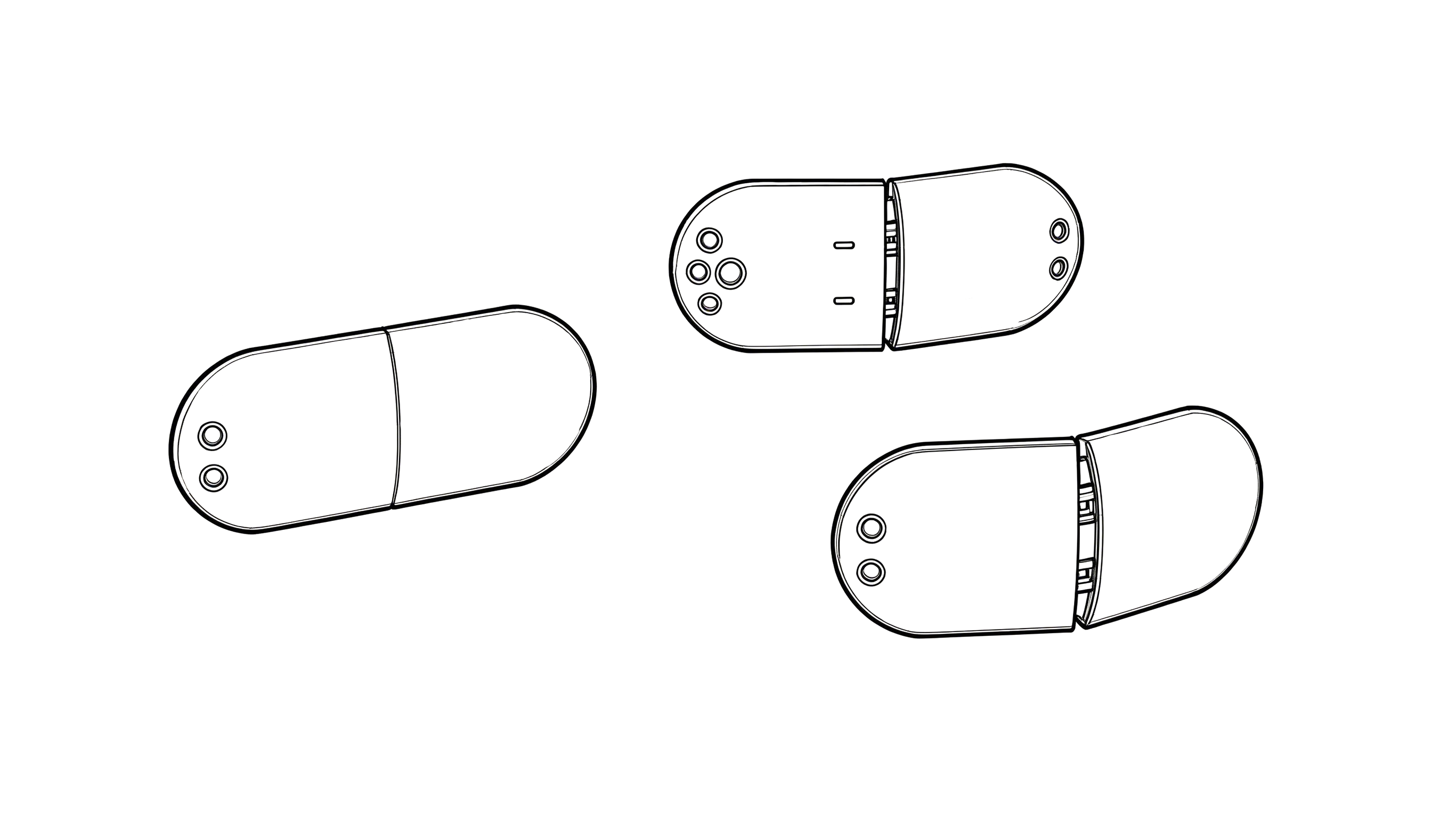
- It must be stable even when supporting multiple screens.
- The angle of movement is likely to be determined to the desired position.
- Minimizing gaps or misalignments after connection.
- Having a sense of unity, including the parts that are not visible.
The quality of even the smallest movements determines the quality of the user experience.
The hub is not just a connecting part; it is a part of the structure that supports the overall usability of the product. Therefore, we have taken the time to address aspects that may not be easily noticeable at first glance.
Development is about translating an ideal into a practical, user-friendly solution.
In product development, simply talking about ideals will not lead to tangible results. In reality, it is necessary to address many practical conditions one by one, such as structure, center of gravity, angles, tactile feel, storage capacity, and ease of handling.
The Wisee Cockpit Monitor was the same. It's not just about the idea of "how we want it to be," but about translating that into a form that can be used effortlessly in daily work. To achieve this, we have gone through repeated prototyping, adjustments, and redesigns.
Development does not end the moment a product is shipped. We believe that continuously updating in a better direction based on actual usage and feedback from users is also part of development. For us, development is not about discussing ideals, but about gradually getting closer to the reality of the users.
Who do we want to reach with this product?
The Wisee Cockpit Monitor is not a product intended only for specific professions.
We envision everyone who works with information. Those who think while researching. Those who write while comparing. Those who make judgments while looking at multiple pieces of information. Those who progress in communication and production simultaneously. Those who want to enhance the quality of their work by utilizing AI.
For such people, their workspace is not merely a peripheral device, but the foundation that supports the quality of their work.
I don't want to boast about the number of screens themselves,
I want to convey the feeling that having more visible information changes how easily you can think.
It becomes easier to make judgments. It becomes easier to make comparisons. It becomes less likely for thoughts to be interrupted. And, it allows you to create a visual perspective that suits you. We believe that the Wisee Cockpit Monitor is a tool that supports such changes.
Behind the Scene
We want to end the era of accepting the limitations of workspaces as something that cannot be helped.
As the amount of information increases and the density of thought intensifies, what is needed is not an environment that is endured, but one that naturally supports thinking and creativity. The Wisee Cockpit Monitor is one of our answers to shaping such an environment.
(old)3.png?w=3840&h=2208)
The technology behind innovation
From structural design to safety and comfort, we have accumulated unique developments in every detail, and our commitment to innovative thinking and quality, free from conventional constraints, has resulted in numerous invention patents and design registrations.
These are not just legal protections; they are also the culmination of serious consideration on how to establish the product. We believe that each technology and design decision ultimately contributes to the user's experience.
Towards the future of workspaces
The way we work will continue to change. And, in line with those changes, the nature of workspaces should also evolve.
We have developed the Wisee Cockpit Monitor not just as a product, but as a proposal for the future workspace. Of course, we do not consider this to be the final form. Rather, we want to continue to pursue a more flexible, more natural, and less obstructive environment that aligns with the work and perspective of the users.
Not to increase the number of screens, but to streamline the workflow. Not to expand the display area, but to broaden the range of thought. The Wisee Cockpit Monitor was born for that purpose.
Related Links
If you would like to see the actual product configuration and usage images, please also check the details of the Wisee Cockpit Monitor.