
The proliferation of generative AI has significantly changed the way we work. We organize our thoughts with ChatGPT, search for information in the browser, create documents, and communicate via Slack and email. In today's work environment, it has become the norm to progress simultaneously through multiple pieces of information rather than finishing one task before moving on to the next.
On one hand, the work environment has not necessarily kept pace with these changes. Despite the increase in jobs using AI and the growing amount of information being handled, there are still many cases where the design of workspaces remains an extension of traditional approaches. As a result, switching between windows multiple times during tasks or having to search for necessary information again accumulates small stresses in daily operations.
In this article, we will organize how the work environment should change to adapt to the AI era, the advantages and limitations of the traditional multi-monitor setup, and the concept of a "cockpit-style workspace" that lies beyond that.
In the age of AI, work is already based on the premise of "simultaneous processing."
In traditional work, there was a relatively clear flow of completing one task before moving on to the next. This was because processes such as reading materials, thinking, creating, and communicating were somewhat separated. However, with the advent of generative AI, this flow has changed significantly.
Nowadays, it has become common to expand thoughts by posing questions to AI, conducting browser searches along the way, organizing the information found into documents, and simultaneously advancing communication both internally and externally. Especially in intellectual labor, comparing multiple information sources at the same time has already become a part of daily life.
In other words, the work environment in the AI era has moved beyond the stage where simply having a PC is sufficient. What is needed is an environment where one can progress with work while simultaneously viewing multiple pieces of information, rather than just switching between them. This marks a significant difference from traditional workspaces.
Why have multi-monitor setups been so popular?
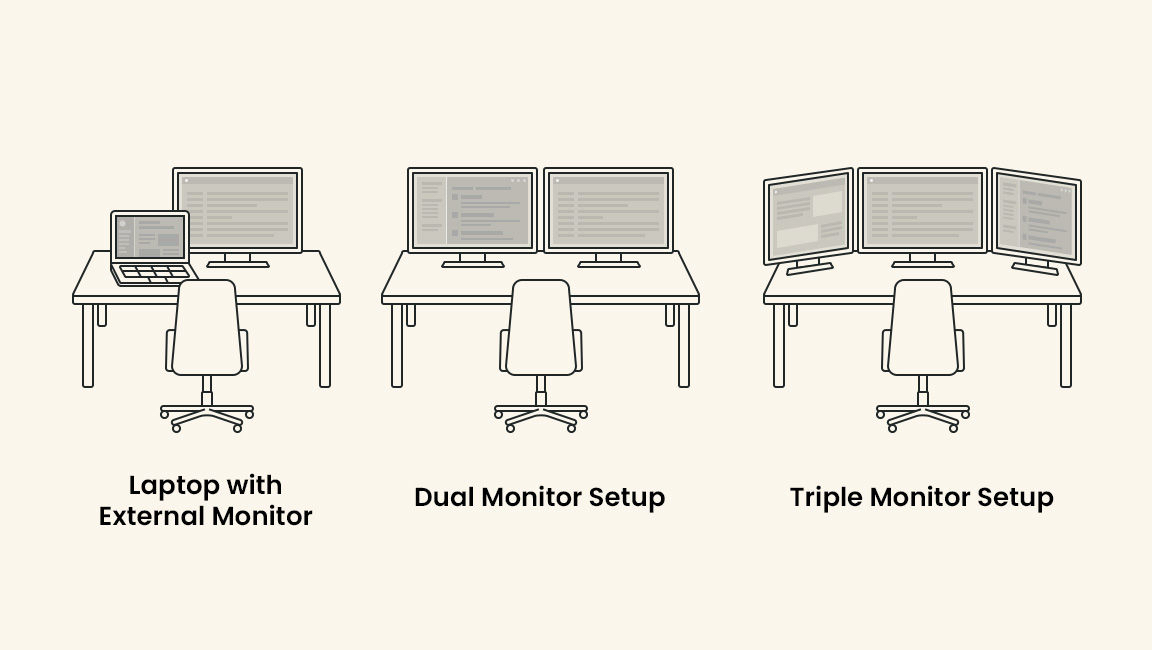
In this context, many people have adopted multi-monitor environments. The reason is very simple: by increasing the number of screens, it becomes easier to display the necessary information simultaneously.
For example, you can check the AI output on one screen while referring to materials on another, and create documents on a different screen. Alternatively, you can keep a spreadsheet open while checking chat tools or emails. Just being able to use it this way significantly reduces the number of window switches and makes the workflow smoother.
The reason multi-monitor setups have been valued is not simply because they provide a larger workspace. It is because fundamental tasks such as checking, comparing, inputting, and making judgments can be performed in a more natural flow. As a result, their adoption has progressed across various professions, including engineers, designers, data analysts, researchers, finance professionals, and business roles utilizing AI.
- Easy to display necessary information simultaneously
- It is easier to reduce the number of times you switch windows.
- The flow of comparison, input, confirmation, and judgment becomes more natural.
- It is well-suited for intellectual work.
However, conventional multi-monitor setups also have their limitations.
On one hand, setting up a multi-monitor environment does not solve everything. Traditional multi-monitor setups come with several challenges in exchange for increased efficiency.
One of the first issues is the complexity of wiring and installation. As the number of monitors increases, the number of power supplies, video cables, and connection hubs tends to increase, making the desk more complicated. This not only affects the appearance but also impacts everyday usability and the ease of rearranging the environment.
Next, there is the issue of space. To accommodate multiple large monitors, a desk of appropriate size is necessary. This is an effective method for those who can secure enough space, but in Japan's living and office environments, not everyone can comfortably place large fixed multi-monitors.
Furthermore, traditional multi-monitor setups are basically fixed environments. Once set up, it tends to be assumed that they will be used in the same location, making it difficult to recreate the same working environment at home, in the office, or while traveling. Additionally, depending on the configuration, the load on the PC may increase, which can affect performance, heat generation, and noise levels.
In other words, while traditional multi-monitor setups do indeed enhance efficiency, they leave much to be desired in terms of flexibility, portability, and installation freedom.
What we need now is not an environment that constantly switches, but an environment that allows us to see the bigger picture.
When considering the work environment in the AI era, what matters is not the number of screens themselves. What is truly being questioned is how to arrange the necessary information and how to fit it into your field of vision.
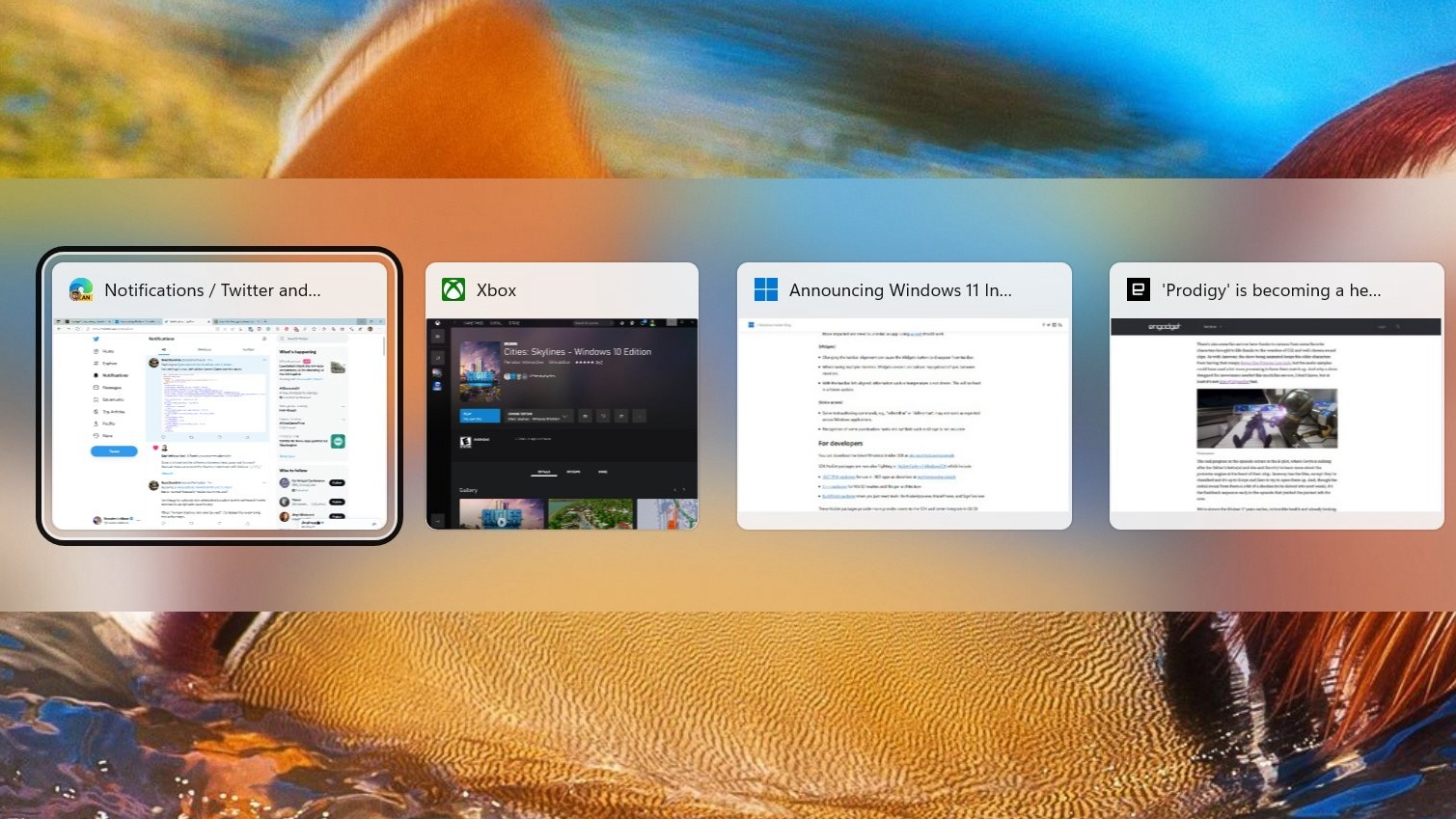
In my current job, tasks such as interacting with AI, research, document creation, data verification, and communication progress while switching back and forth frequently. Each time I use Alt + Tab to switch screens, I lose not only the time spent on operations but also the continuity of my thoughts. This is because every time I switch screens, I need to re-establish the context in my mind.
What is needed in this situation is not a work environment that calls up information one after another, but a work environment where necessary information can be viewed at a glance. This idea is clearly expressed in the concept of a "cockpit-type workspace."
What is a cockpit-style workspace?
A cockpit-type workspace is an environmental design that organizes and arranges necessary information within the line of sight, making it difficult to interrupt the workflow. The name is derived from the cockpit of an aircraft. Pilots continue to make judgments while simultaneously checking multiple pieces of information, such as altitude, speed, flight path, and the condition of the aircraft. It is designed in such a way that instead of switching between pieces of information one by one, the entire situation can be grasped with just a shift of gaze, enabling continuous decision-making.
This way of thinking also applies well to modern intellectual labor. There are multiple sources of information necessary for work, such as AI outputs, reference materials, ongoing documents, chats, schedules, and data. Moreover, these do not appear one by one in sequence; they always exist simultaneously. Therefore, in future workspaces, being able to "oversee" will be more important than "switching."
The cockpit-style workspace is not simply about increasing the number of screens. It is a concept that involves redesigning the entire workspace, considering which information is easiest to think about, compare, and judge based on the nature of the work.
Three conditions required for a work environment in the age of AI
Considering these changes, future workspaces will require at least three conditions.
The ability to view multiple pieces of information simultaneously.
Work progresses across multiple pieces of information, such as dialogue with AI, research in the browser, document creation, and communication via chat. It is important to be able to check the necessary information simultaneously rather than searching for it each time. This condition is becoming increasingly important not only for work efficiency but also for maintaining the flow of thought.
The configuration can be changed depending on the application.
The optimal screen layout varies depending on the type of work. For example, the best layout is not the same on research-focused days, writing-focused days, coding days, or days centered around spreadsheets. Future workspaces will require the ability to flexibly change the configuration according to the tasks at hand, rather than relying solely on a fixed layout.
Not being tied to a specific location
In today's world, where opportunities to work not only in the office but also at home or on business trips are increasing, it is ideal for the work environment not to be too fixed in one location. Of course, there are situations where a large fixed monitor is suitable, but considering the overall modern work style, the value of an environment with a certain degree of flexibility and reproducibility is increasing.
A new option attracting attention as the "next step after multi-monitor setups"
The new option that has emerged from this line of thinking is the cockpit-style monitor. This concept differs slightly from the traditional idea of simply arranging multiple large displays. What is needed is not just a simple increase in area, but a design of the visual field that aligns with the workflow.
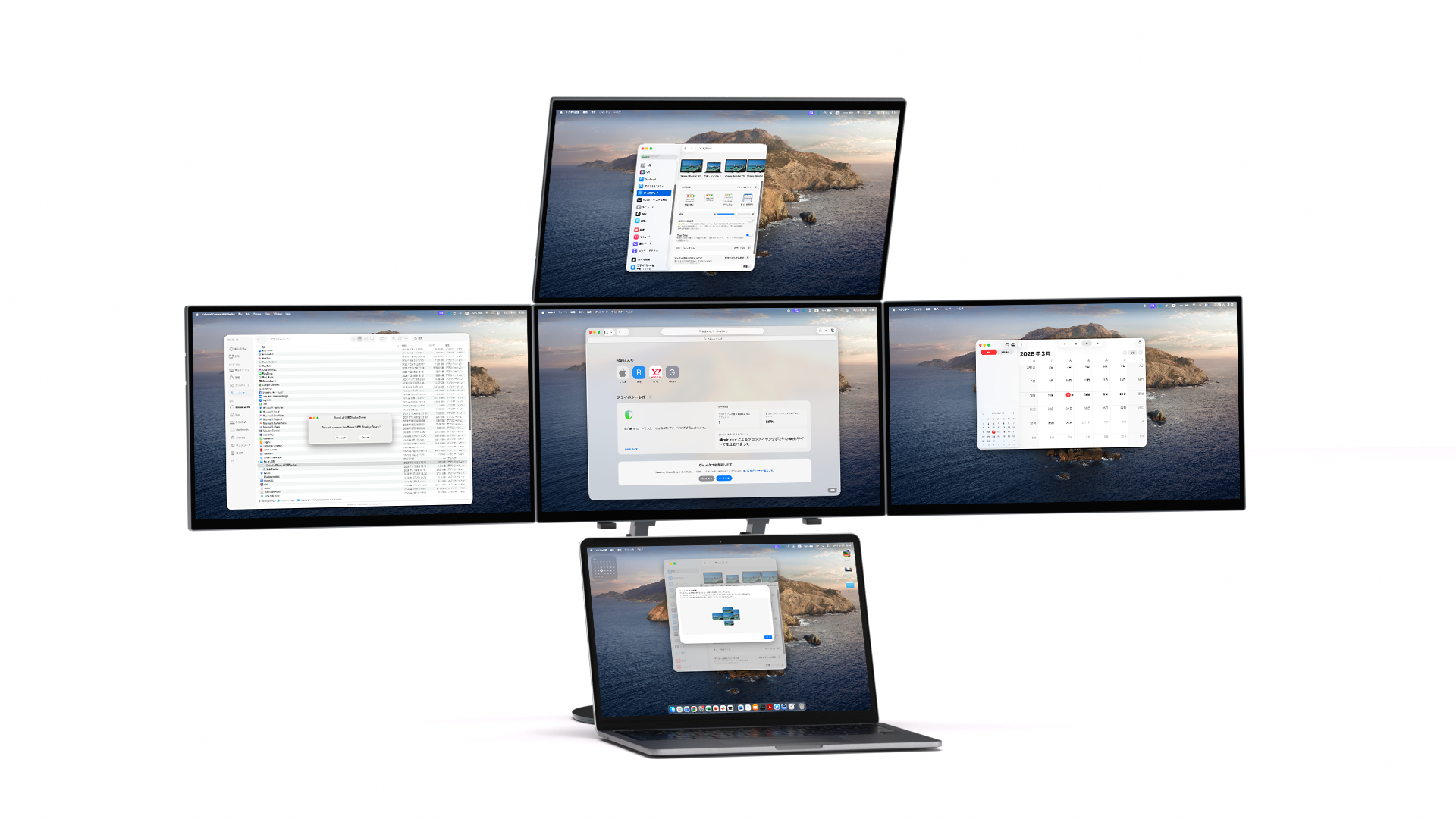
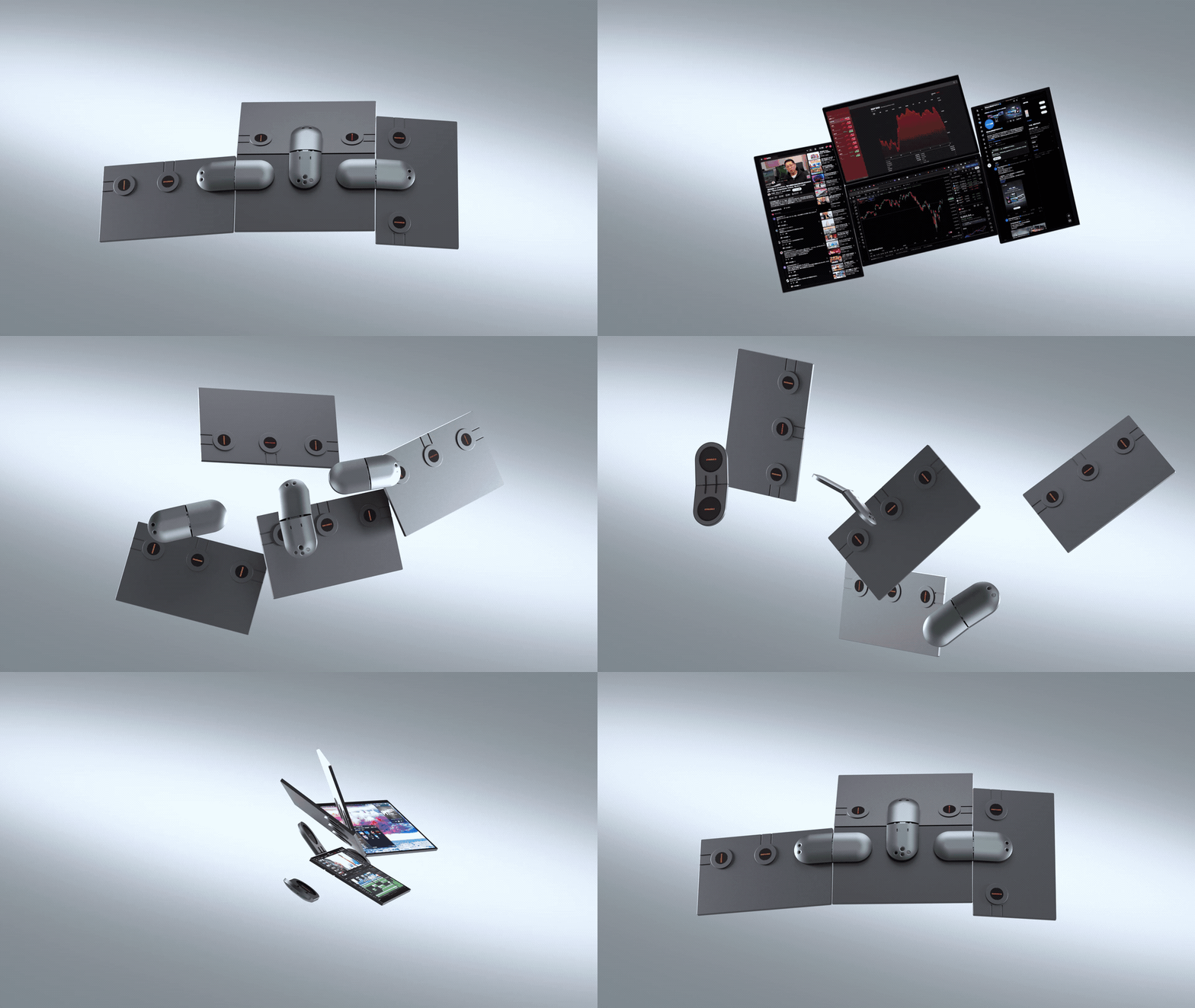
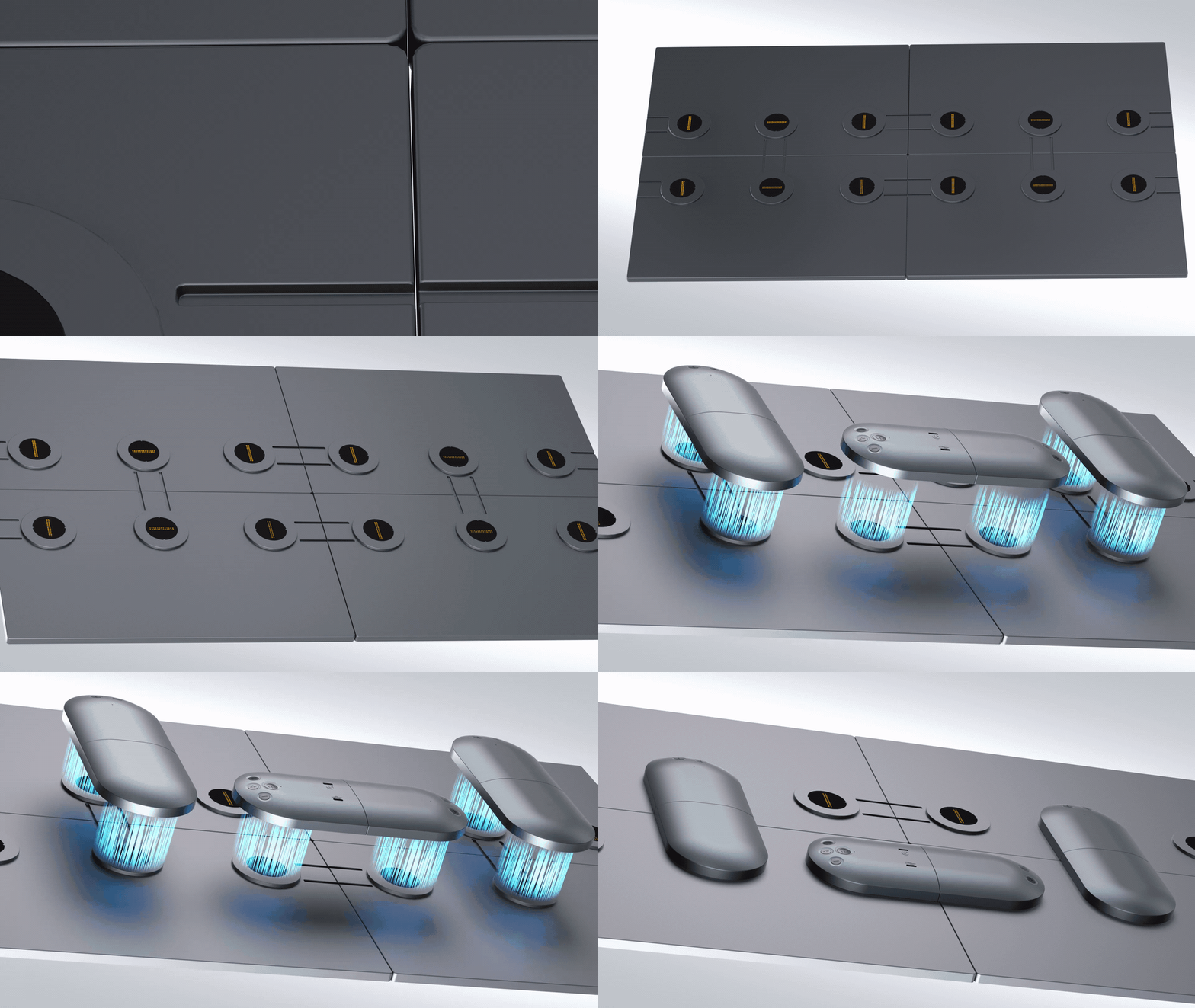
One example is the Wisee Cockpit Monitor. It is designed to create multiple screens centered around a laptop, allowing for flexible layout changes according to usage. This approach differs from traditional fixed multi-monitor environments, enabling the construction of a workspace for viewing information.
In particular, in tasks that involve handling AI outputs, materials, chats, and data simultaneously, the arrangement of information—specifically, "which information can be placed where"—has a significant impact on the work experience, beyond just increasing the number of screens. In this sense, cockpit-style monitors can be seen as a new form of work environment tailored for future intellectual labor.
.gif?w=1024&h=576)
If you want to specifically envision a new work environment suited for the AI era, please also take a look at the product page for the Wisee Cockpit Monitor.
The value of vertical display and auxiliary screens will only increase in the future.
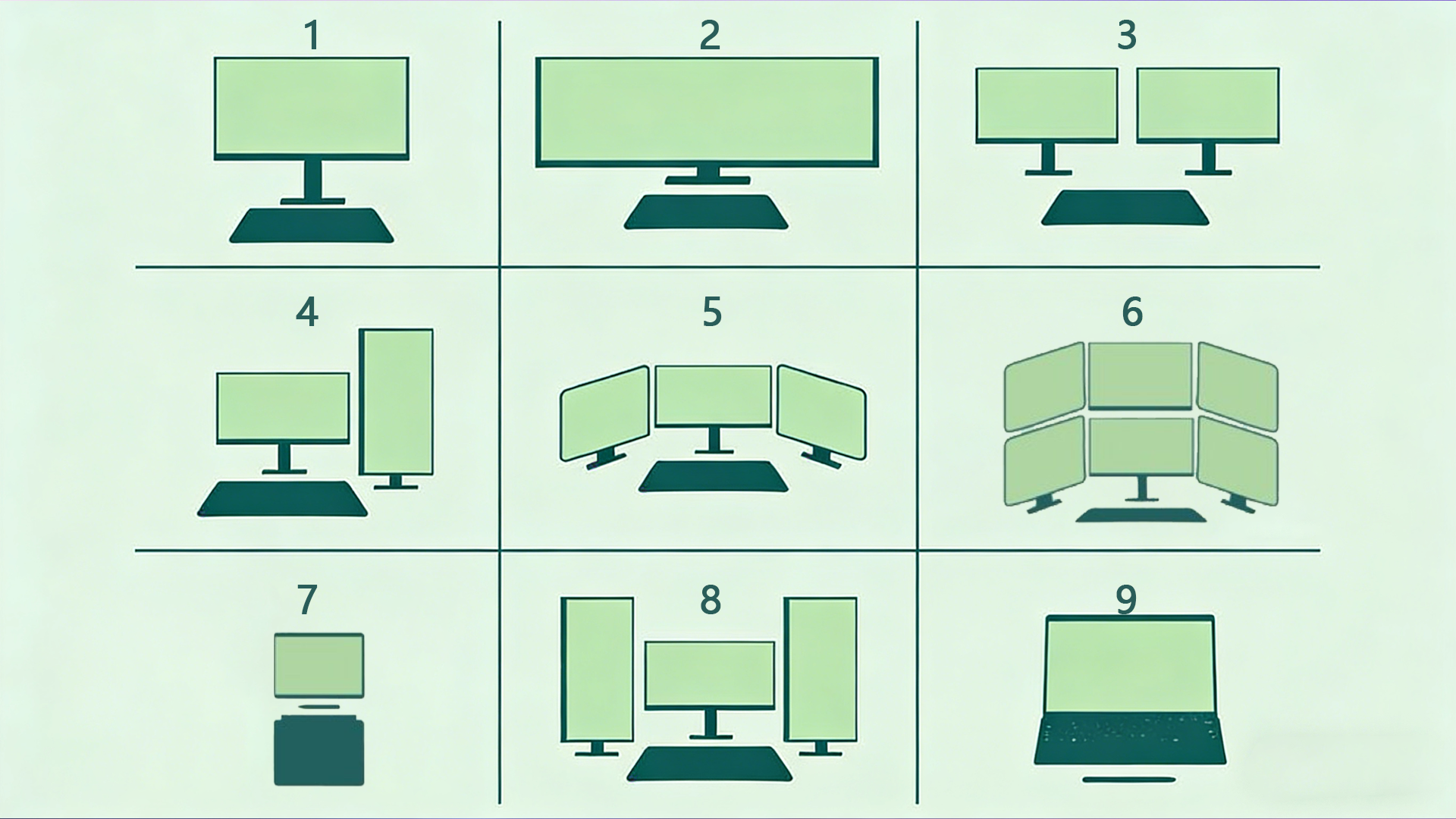
When considering workspaces in the AI era, another aspect that cannot be overlooked is the difference in screen orientation and roles. While traditional multi-monitor environments have often been designed with horizontal alignment in mind, in actual work scenarios, there is an increasing number of situations that involve handling vertically long information.
For example, the output from AI, code, documents, papers, chats, social media, reservation information, etc., may be easier to read on a vertical screen rather than a horizontal one. Additionally, there is an increasing demand to keep auxiliary information constantly displayed on a separate small screen or vertical screen while progressing with the main tasks on a large primary screen.
This does not mean "one large screen is enough," but rather that it is becoming important to combine screens of different roles according to the nature of the work. Future workspaces will likely move towards a direction where it is not just a competition of size, but the very ability to configure the visual field will be questioned.
- Use vertical display for vertically oriented information.
- The primary screen and auxiliary screen each have different roles.
- Change the screen layout depending on the type of work.
- The focus is on the overall design of the field of view, rather than just the size.
The quality of the work environment is directly linked to the quality of the work.
With the evolution of AI, we are now able to handle more information faster than ever before. However, at the same time, as the amount of information increases, the impact of the quality of the work environment on outcomes also becomes greater.
In an environment where necessary information is readily visible, decision-making becomes faster, and organizing thoughts becomes easier. When comparisons are easier to make, oversights decrease, and ideas are more likely to emerge. Conversely, in an environment where necessary information is hidden, and frequent switching or searching is required, concentration is disrupted, which negatively impacts the quality of work.
In this sense, the number of screens is not just a specification. It relates to the very range of thought in terms of how much information can be handled simultaneously and how naturally it can be arranged in the field of vision. When considering the workspace in the AI era, the work environment has reached a stage where it should be viewed not merely as peripheral equipment, but as a foundation that supports intellectual production.
Future work environments will be more aligned with the "flow of work."
In the future, AI will further integrate into our work. Along with this, the amount of information we handle simultaneously and the way we work will also change even more.
What is required in such a context is not merely a high-performance PC or a large screen. It is a workspace that aligns with new workflows such as dialogue with AI, information organization, and the parallel execution of multiple tasks. The concept of a cockpit-style workspace can be said to have naturally emerged from this flow.
In the future, the focus will shift from traditional multi-monitor extensions to creating environments that are more flexible, less obstructive to thought, and more aligned with workflow. Within this context, the idea of "overseeing information" rather than "switching between information" will become increasingly important.
summary
In the age of AI, there are definitely more situations where tasks cannot be completed on a single screen. What is important is not just increasing the number of screens, but how to arrange the necessary information within view and create an environment that allows for continuous thinking and progress.
The traditional multi-monitor environment has been one of the effective means for that purpose. However, there are limitations in terms of wiring, space, portability, and flexibility. A new concept that is gaining attention is the "cockpit-style workspace."
Instead of switching information, overlook it. This idea will serve as an important hint when considering the work environment in future intellectual labor.
Related Links
From "Switching Work Environment" to "Overlooked Work Environment." As an example of a cockpit-style workspace, you can find more details about the Wisee Cockpit Monitor here.